 SnapPDF
In short
- Microsoft Lens was retired on Android in early 2026, and Microsoft points users to the scan feature in OneDrive.
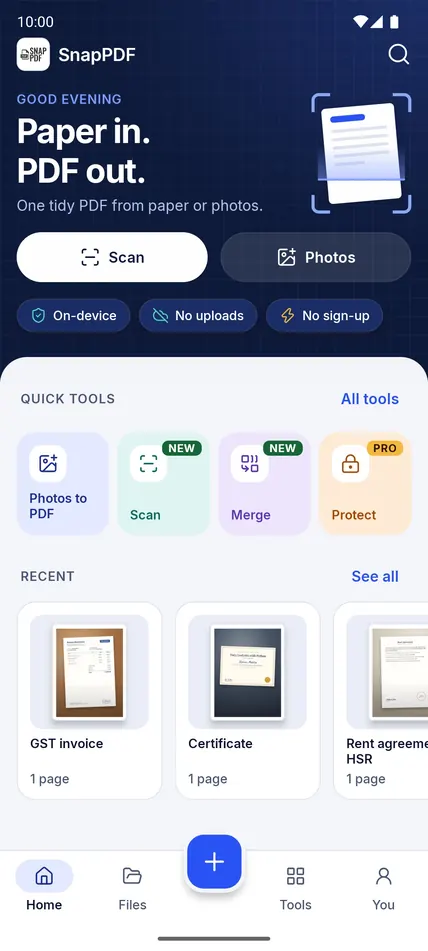
- SnapPDF scans with the camera, crops, cleans up pages with filters and makes PDFs on your phone.
- It has no whiteboard or business card modes, no text extraction and no OneNote or OneDrive saving built in.
- It works offline, adds no watermark and needs no account.
What happened to Microsoft Lens
According to Microsoft’s own support page, the Lens app was retired from iOS and Android starting 9 January 2026. It was no longer supported after 9 February, and scanning in the app was allowed until 9 March 2026. Microsoft recommends the scan feature in the OneDrive app instead, and the same page notes that OneDrive does not save scans locally on your device.
As of 31 October 2026, the Lens page on Google Play no longer exists.
What carries over to SnapPDF
| If you used Lens to | In SnapPDF |
|---|---|
| Scan a document with the camera | Tap Scan. Tap + to add pages. |
| Crop and tidy a page | Crop with presets (Free, A4, Original, Square, 4:3), rotate, duplicate or remove pages. |
| Make a page easier to read | Filters: Enhance, Grey, Black & white and Warm. |
| Save a PDF | Real A4 or Letter pages, saved in Downloads › snapPDF on your phone. |
| Combine pages or files | Add pages any time, and merge PDFs. |
| Send it on | Share to Gmail, Drive, WhatsApp or any app that takes PDFs. |
What does not carry over
Lens had extras such as whiteboard and business card modes and text extraction. SnapPDF does not. It also has no built-in saving to OneNote or OneDrive, so you send a PDF with Android’s share sheet instead. And there is no iPhone version: SnapPDF is for Android 10 and newer.
Your old scans
Scans you saved in OneDrive, your gallery or on your phone are still there. SnapPDF does not need them moved. To put old photos into a new PDF, tap Photos and pick them. To join an old PDF with new pages, use Merge and choose it from your phone.
The retirement dates and the point about OneDrive come from Microsoft’s support page, linked above, as it read in October 2026. The comparison of features is SnapPDF’s own, based on what Lens offered; check Microsoft’s page for anything you saved in Lens. SnapPDF is not affiliated with, endorsed by or sponsored by Microsoft. Product names belong to their owners.
Questions
Does SnapPDF save my scans to the cloud?
No. PDFs are made and kept on your phone. Back them up yourself if you want another copy.
Is it free?
The core features are free, with no ads and no watermark. Optional paid features may be added later, as the terms explain.